


New appointments, in the diary
Check live PracSuite availability and book the approved appointment type with a suitable practitioner.
 Connected to Arcline
Arcline answers patient calls and manages appointments in your PracSuite diary. Initial assessments, returning patients and booking changes—all shaped around the way your clinic works.
Book a call to see if Arcline is right for your business — your first step to getting set up.
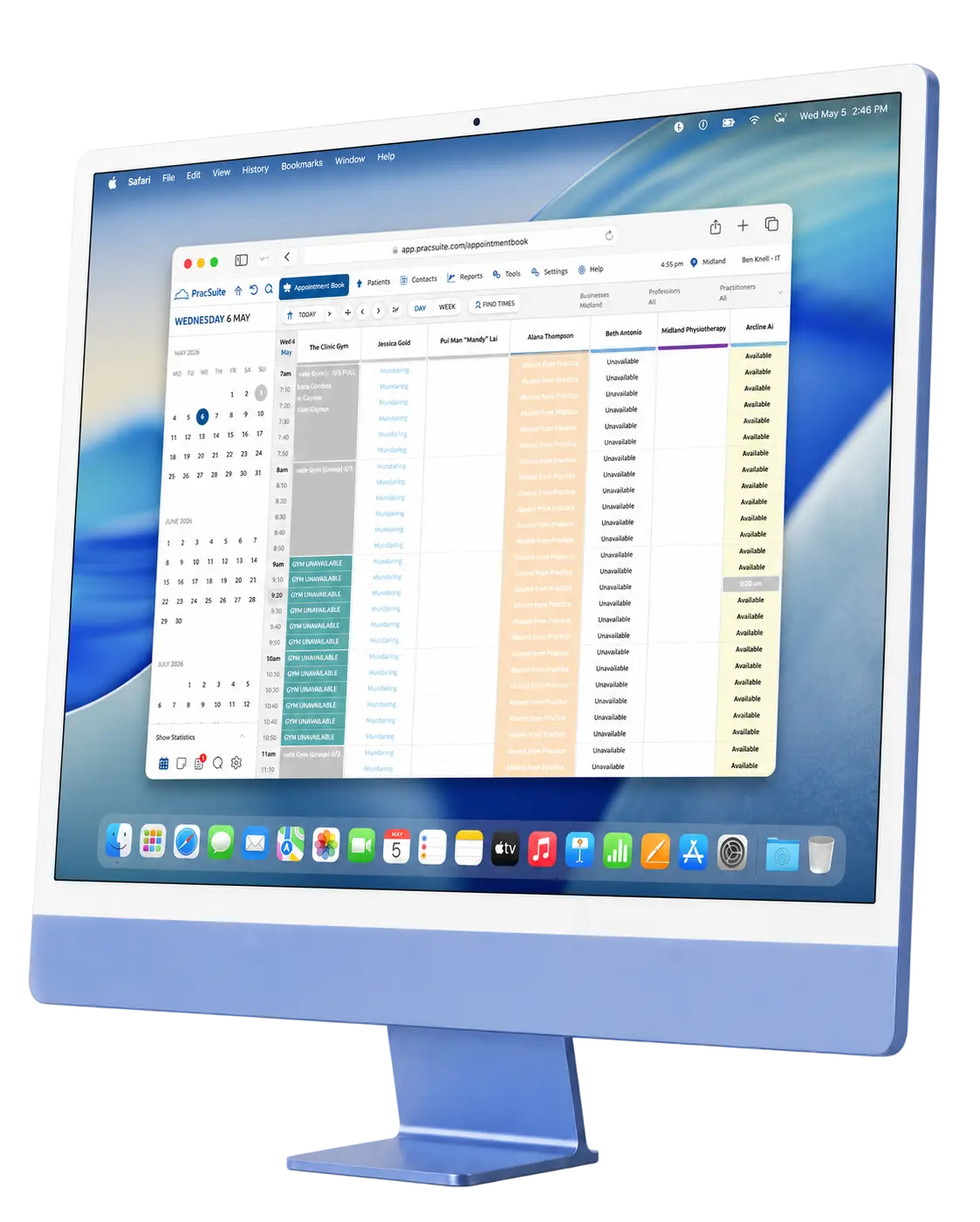
Bookings and changes in PracSuite
Coverage at the hours you choose
Practitioners, appointment types and handovers
Connected to your practice software
PracSuite is already where your reception team manages the day. Arcline connects phone enquiries to that same appointment book, so a routine booking does not need to become a message waiting to be entered later.
Appointment diaryIllustrative calendar · configured to your clinic
PracSuite phone answering
One connected assistant for the everyday requests that keep reception on the phone.
Check live PracSuite availability and book the approved appointment type with a suitable practitioner.
Handle routine reschedules and cancellations using your clinic's instructions. Exceptions go to reception.
Share approved information about hours, parking, preparation and other routine enquiries.
Choose after-hours, overflow or wider phone coverage with our team. Keep your existing number.
Transfer a call or take a useful message when a patient needs clinical judgement or help outside the agreed workflow.
From ringing phone to next step
Arcline follows the workflow you approve. Not a generic script for every clinic.
A new visit, a booking change or a clinic question. Establish what the caller needs before taking the next step.
Use your approved instructions alongside live PracSuite availability, appointment types and practitioner preferences.
Make the supported booking or change, share approved information, or hand the request to your team.
Reception can see the call outcome and written context, including anything that needs a person's attention.
In practice
A few everyday examples, from a routine booking to a question that belongs with your team.
I am new to your clinic. Can I book a physio appointment this week?
ArclineI can help with that. Let me check the initial assessment times in our diary.
Illustrative conversations—not recordings. Responses and booking pathways are shaped around your clinic's setup.
More than finding an empty slot
Availability is only part of a suitable appointment. We configure the details that make a PracSuite booking right for your practice.
Use the right appointment type and duration, rather than treating every physio or allied health visit as the same booking.
Check a returning patient's preferred practitioner against the live diary and your clinic's approved booking instructions.
Confirm which site the patient wants before offering an appointment, especially when your team works across locations.
Capture relevant administration details. Claims, eligibility decisions and anything outside the agreed workflow stay with reception.
After-hours PracSuite bookings
Patients often call after their own working day. Arcline can handle evening, weekend and overflow enquiries using the same approved information and booking rules as daytime reception.
Set the hours, transfer destinations and fallback process with our team. A caller can reach an approved next step while reception is offline.

Visibility for your team
Reception should not have to guess what happened on the phone. Call records help your team see the result and review anything that needs attention.

Alex Taylor

Alex Taylor

Alex Taylor

Alex Taylor
Example call records · names and times are illustrative
A booking, a change, an answered question or a request for reception.
Written call context helps your team understand what the patient asked.
Identify requests that need a person and follow up with useful details.
A clinic story, not a promise
At Midland Physiotherapy, Arcline supported a busy reception team over a 246-day reporting period. Read the figures, the context and the clinic's own experience.
Read the Midland case studyMidland's reporting-period results, not a PracSuite-specific benchmark or a forecast for your clinic. Estimates and methodology are explained in the case study.
Set up together
No need to build an AI receptionist yourself. We connect, configure and test the agreed workflows before you approve them.
Review your PracSuite setup, locations, appointment types and the phone coverage your team needs.
Check representative bookings, changes, FAQs and handovers. Your reception team reviews how calls are handled.
Go live with the agreed call flows. Review real outcomes together before deciding whether to continue.
Keep your number. Agree forwarding and fallback arrangements with our team.
Clear boundaries
A calendar integration is not a clinician. Arcline supports approved administrative workflows; your practitioners keep the decisions that need professional judgement.
Clinic answers and booking instructions are configured with your team, not invented from an open-ended conversation.
Clinical, sensitive and complex requests follow your transfer or message-taking instructions.
Call outcomes and written context give your team visibility into the administrative work being handled.
Outbound calling · rolling out
We are rolling out outbound calling workflows. Discuss availability and suitable use cases with our team—not every workflow is live for every clinic.
Help patients remember an upcoming visit, with reminder instructions and timing agreed by your clinic.
Follow up on clinic-approved recall lists and help patients arrange a suitable next appointment.
A 14-day free trial
Two weeks to see Arcline work with your PracSuite workflows. We configure the agreed call flows, review the outcomes with your team and help you decide on the next step.
No card required to start the trial.Custom clinic pricing
Arcline is competitively priced, with a custom quote based on your clinic's integration, locations, workflows and reception needs. Book a call so we can discuss the right setup and pricing for you.
How our custom pricing worksBook a call to see if Arcline is right for your business — your first step to getting set up.
Questions before you connect
How booking, setup, pricing and handovers work with Arcline.
Ask about your clinicYes. Arcline checks live PracSuite availability and handles supported bookings, reschedules and cancellations in the appointment diary. Your clinic's appointment types, durations and practitioner instructions are configured before you approve the rollout.
Yes. We agree the appointment pathways with your team, including first visits, follow-ups and clinic-approved appointment types. Arcline checks the relevant duration and practitioner availability instead of offering a generic slot.
Arcline uses your approved administration instructions and can capture details for reception. It does not decide claim eligibility, guarantee funding or provide clinical advice. Questions outside the agreed booking pathway are handed to your team.
Yes. Alongside new bookings, Arcline handles supported appointment changes in PracSuite. We configure your rescheduling and cancellation instructions, including which exceptions must go to reception, before calls go live.
Arcline can answer evening, weekend and overflow calls using live PracSuite availability and your approved booking rules. You choose the coverage hours with our team. A routine request can be handled without waiting for reception to reopen.
You can keep the number patients already know. Our team works with you on call forwarding, coverage hours, transfer destinations and fallback arrangements. You review the routing before the agreed call flows go live.
Our team helps connect PracSuite, configures appointment pathways and approved clinic information, and tests representative calls with you. Your team reviews the setup before launch. We agree timing around your clinic rather than promising an instant rollout.
Clinical advice, sensitive situations and enquiries outside the approved workflow stay with your team. Arcline can transfer a call or take a detailed message according to your handover instructions. We agree the fallback for when staff are unavailable.
Arcline is competitively priced, with a custom quote for your clinic's workflows, integration, locations and reception needs. Book a call to discuss your requirements and pricing before you decide to continue.
The free trial is 14 days—two weeks—with no card required. We set up the agreed call flows with your clinic, review the outcomes together and discuss a custom quote if you would like to continue.
No. Arcline supports administrative phone enquiries and appointment workflows. PracSuite remains your practice management system, and your practitioners retain clinical judgement. You can review our privacy policy and subprocessors before connecting your clinic.
Built around your clinic
Explore how Arcline supports different health clinics, or compare our other practice software integrations.
Arcline + PracSuite
Discuss your clinic's workflows and a competitive custom quote.
Start with a 14-day free trial.
Book a call to see if Arcline is right for your business — your first step to getting set up.